AI Photo Redesign Get the App

AI Hairstyle Changer

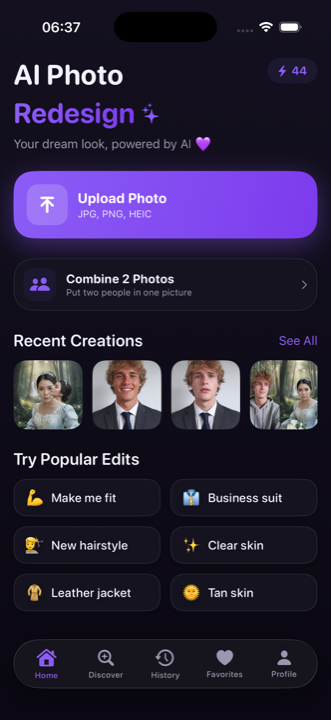
An AI hairstyle changer lets you try new haircuts, colors and styles on your own photo before you visit a salon. Upload one selfie, tap a look, and AI Photo Redesign shows a realistic preview in seconds - your real face stays you, only the hair changes.

AI Photo Redesign home screen on iPhone showing hairstyle and color options to try on a photo

Every cut and color, on your face

Tap a style and the AI restyles your hair in seconds - realistic, high quality, still unmistakably you.

💇

Short & long styles

Go from a pixie or bob to long layers, a lob, a buzz or shoulder length on your own photo.

🎨

Bold new colors

Try balayage, blonde, brunette, red, black, highlights and pastel fashion colors before you commit.

✂️

Bangs & fringe

Preview blunt bangs, curtain bangs, a side fringe or wispy bangs to see what suits your face shape.

🌀

Curly vs straight

Compare sleek and straight against waves, curls and coils to picture your everyday look.

💈

Men's cuts

Fades, a quiff, textured crop, slick back or a fresh beard style - all on your real photo.

😊

Keeps your real face

Face-preservation changes only the hair, so the result is clearly you with a new hairstyle.
Preview the salon before you book

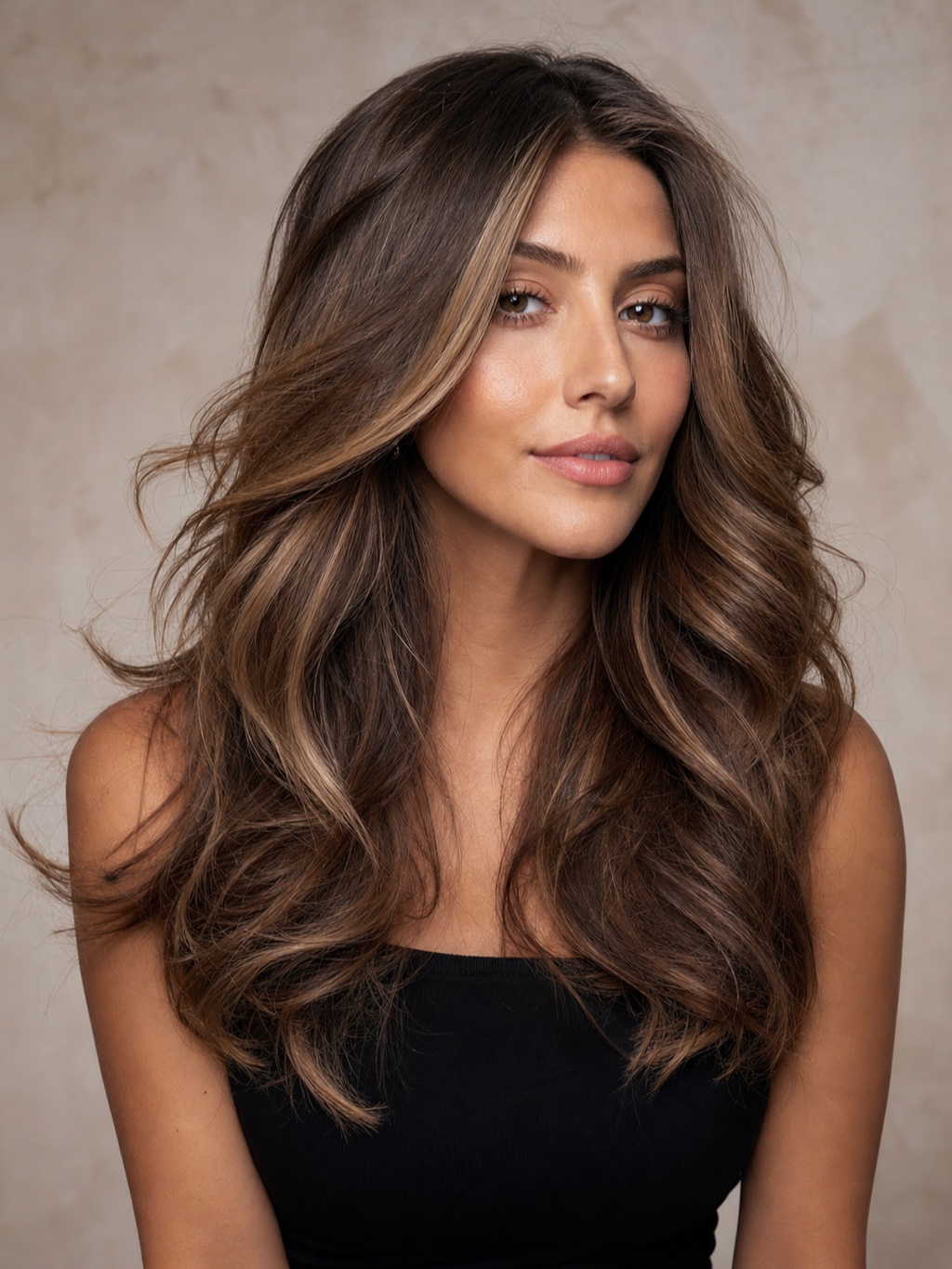
Stop guessing from a reference photo of someone else. See the exact cut and color on your own face first.

Try dozens of looks side by side in minutes, not months of growing out
Screenshot the winner and show your stylist exactly what you want
Export in HD or 4K, keep every version, no commitment
AI hairstyle changer result on iPhone - a new haircut and color previewed on the same real face

AI hairstyle try-on vs guessing at the salon

 AI Photo RedesignA salon appointment
Cost of a mistakeJust tap another look and regenerateA cut and color you have to live with
TimeSeconds per styleHours in the chair, weeks to grow out
Styles you can try600+ cuts and colorsOne look per visit
RiskZero - it is only a photoRegret, awkward growing-out phase
CommitmentNone, change your mind anytimePermanent until it grows or is redone

How to change your hairstyle with AI

No editing skills and no waiting. Pick a look and go.

1

Upload your photo

Pick a clear, front-facing selfie from your camera roll.

2

Choose a hairstyle or color

Tap a new cut, length, fringe or hair color from 600+ looks.

3

Save & compare

Get a realistic preview in seconds and compare styles before you book.

More AI photo tools

One app, many looks. Explore the most popular AI photo makeovers.

AI hairstyle FAQ

Can I try a new hairstyle on my own photo?

Yes. AI Photo Redesign is an AI hairstyle changer for iPhone that maps a new haircut or style onto your own photo. You upload a selfie, pick a look, and the AI generates a realistic preview in seconds while keeping your real face, so you can see the cut on you before you visit a salon.

Can it change hair color too?

Yes. Alongside cuts and styles you can change hair color - blonde, brunette, red, black, balayage, highlights, pastels and bold fashion colors - on your own photo, so you can compare shades before committing at the salon.

Does it still look like me?

Yes. Every edit is built on a face-preservation system, so only your hair changes and your real face stays clearly recognizable as you. The result is a realistic photo of you with a new hairstyle, not a different person.

Is it free?

The app is free to download and photos start from $0.99. You can subscribe or buy one-time photo packs for more looks. There are 600+ styles to try, and the photos you create are yours to keep.

Your next hairstyle is one photo away.

Download AI Photo Redesign and start from $0.99.