Colorize Photos with AI
Turn black-and-white and sepia photos into full color on your iPhone. The AI adds natural, era-accurate color to skin, clothing and scenery in seconds - realistic, not painted on, and the people stay unmistakably them.
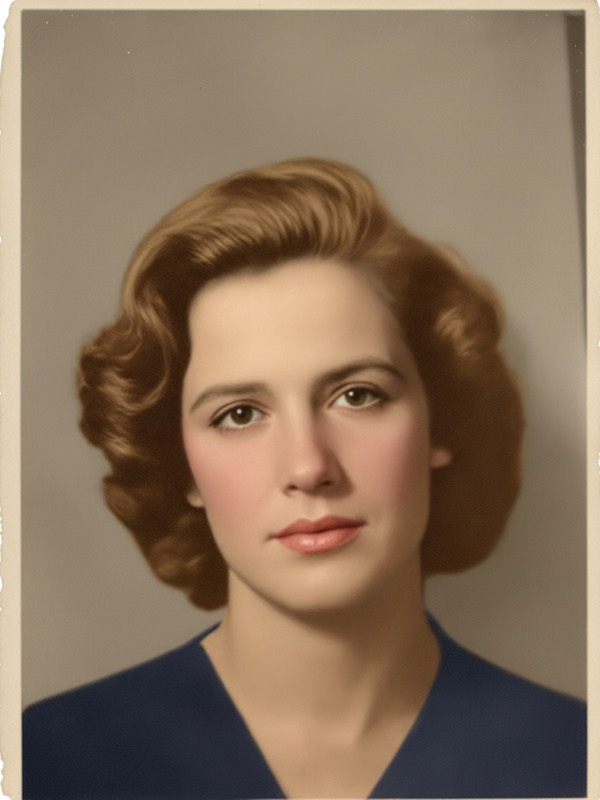
Turn black-and-white and sepia photos into full color on your iPhone. The AI adds natural, era-accurate color to skin, clothing and scenery in seconds - realistic, not painted on, and the people stay unmistakably them.
An AI photo colorizer that reads each photo and chooses believable tones - all on your iPhone, no editing skills needed.
The AI adds realistic, era-appropriate color instead of flat or oversaturated tints.
Faces and hands get warm, believable skin color so people look real, not painted.
Fabrics, backgrounds and landscapes are colored to match the light and setting.
Yellowed sepia and washed-out prints are read correctly and colored cleanly.
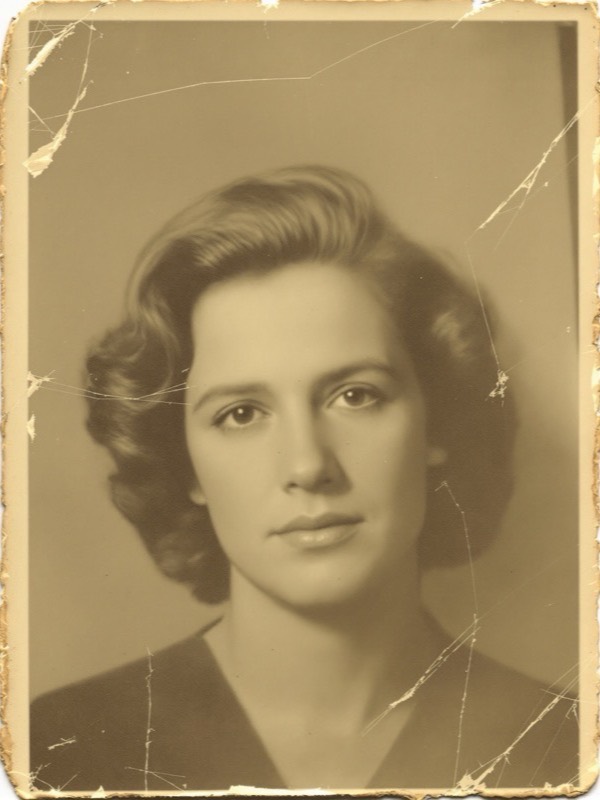
Pair with restoration to remove scratches and fading, then add full color in one flow.
Face-preservation keeps everyone recognizable - it colors the photo, not who is in it.
Start with the old monochrome photo you already have. The AI adds the color for you.
| AI Photo Redesign | Coloring by hand | |
|---|---|---|
| Skill needed | None - just tap | Advanced masking and painting |
| Time | Seconds | Hours per photo |
| Natural tones | Era-aware, believable color | Depends on the artist |
| Restore plus colorize | One flow | Separate manual steps |
| Cost | Free to download, photo packs from $0.99 | $15-$60 per photo |
No masking and no painting - three taps from black and white to full color.
Pick a black-and-white or sepia photo from your camera roll.
The AI adds natural color and can repair damage at the same time.
Get a full-color photo in seconds and export it in HD or 4K.
One app, many looks. Explore the rest of the AI photo makeovers.
Yes. AI Photo Redesign colorizes black-and-white and sepia photos in seconds. Upload the photo and the AI adds natural, era-appropriate color to skin, clothing, backgrounds and scenery, giving you a lifelike color version to keep and share.
Yes. The AI reads the light, materials and era of the photo to choose believable tones, so skin, fabrics and surroundings look natural rather than painted on or oversaturated.
Yes. Colorizing pairs with full restoration - the AI can remove scratches, stains and fading and rebuild missing detail, then add color, so a damaged black-and-white photo comes back clean and in full color.
The app is free to download and photos start from $0.99. For more photos you can subscribe or buy one-time photo packs. Every colorized photo is yours to keep and export in HD or 4K.
Download AI Photo Redesign and colorize your first photo from $0.99.