Restore Old Photos with AI
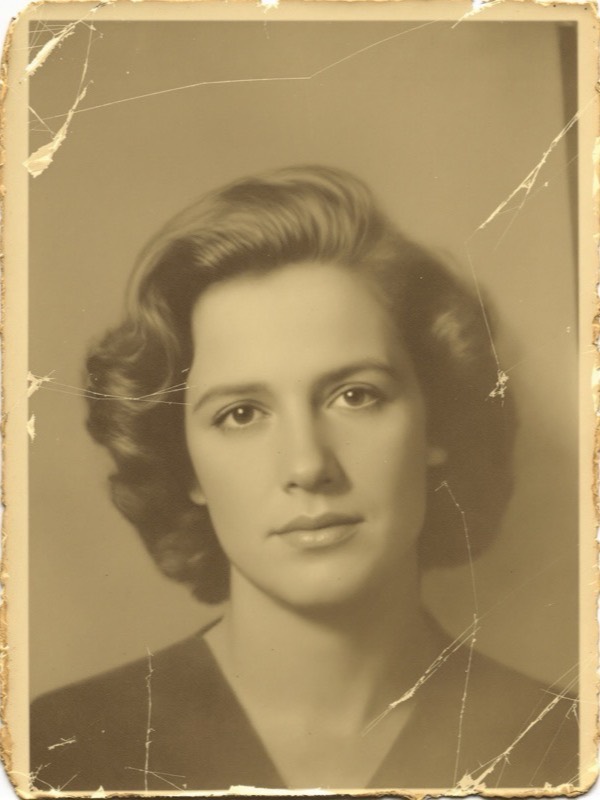
Bring old photos back to life on your iPhone. Upload a faded, scratched or torn photo and the AI removes the damage, rebuilds missing detail and revives dull tones in seconds - the person stays unmistakably them.
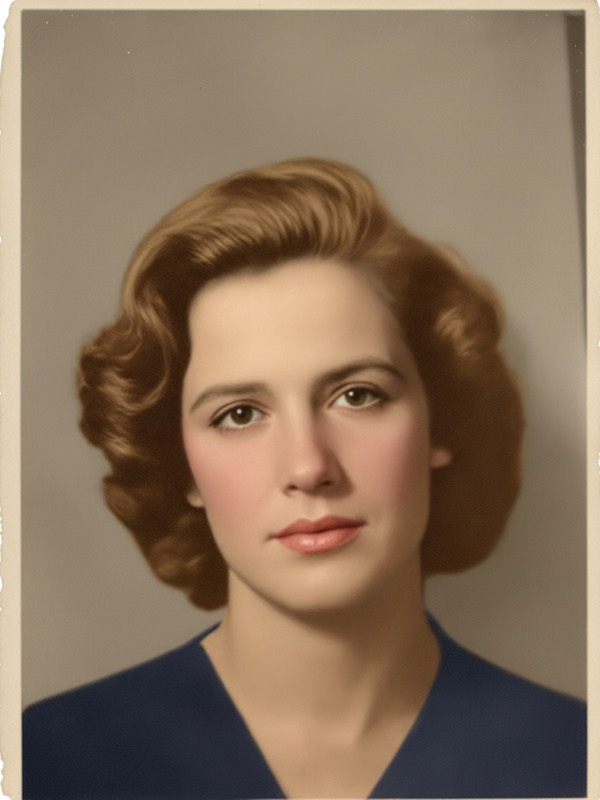
Bring old photos back to life on your iPhone. Upload a faded, scratched or torn photo and the AI removes the damage, rebuilds missing detail and revives dull tones in seconds - the person stays unmistakably them.
An AI photo restoration app that repairs the flaws time leaves behind - all on your iPhone, no scanner software or retouching skills needed.
The AI removes scratches, creases and rips and rebuilds the torn areas so the photo looks whole again.
Coffee marks, water stains, dust and speckling are cleaned away for a fresh, clear image.
Washed-out, yellowed and low-contrast photos get their depth and tone brought back to life.
Gentle AI sharpening recovers faces, edges and texture without looking harsh or artificial.
Black-and-white and sepia photos can be colorized with realistic, era-appropriate color.
Face-preservation means the people you love stay recognizable - it repairs the photo, not who is in it.
Start with the fragile original you already have. The AI does the careful repair work for you.
| AI Photo Redesign | Photo repair service | |
|---|---|---|
| Cost | Free to download, photo packs from $0.99 | $20-$80 per photo |
| Time | Seconds on your iPhone | Days to weeks of turnaround |
| Retakes | Regenerate anytime, no extra trip | Rebook and pay again |
| Colorization | Built in, one tap | Often a paid add-on |
| Privacy | Your own photo, on your iPhone | Handing originals to a stranger |
No scanner software and no editing skills - three taps from damaged to restored.
Snap or scan the print and pick it from your camera roll.
The AI removes scratches, stains and fading and rebuilds detail.
Get a clean, restored photo in seconds and export it in HD or 4K.
One app, many looks. Explore the rest of the AI photo makeovers.
Yes. AI Photo Redesign repairs old and damaged photos in seconds. Upload a faded, scratched or torn photo and the AI removes the damage, reconstructs missing detail and revives dull tones - giving you a clean, restored version to keep and share.
It removes scratches, stains, dust, creases and noise, rebuilds faded and torn areas, and gently sharpens soft detail. It can also add natural color to black-and-white or sepia photos, so the restored photo looks clear and lifelike.
Yes. Restoration is built around a face-preservation system, so the person stays clearly recognizable. The AI cleans and reconstructs the photo without changing who is in it.
The app is free to download and photos start from $0.99. For more restorations you can subscribe or buy one-time photo packs. Every restored photo is yours to keep and export in HD or 4K.
Download AI Photo Redesign and restore your first photo from $0.99.